
Play Mines Online
Read the number before you open
The home page is a classic minefield grid. Left-click opens a cell, right-click or a long press plants a flag, and a revealed number is how many mines touch that cell. A blank cell opens the empty pocket around it. The side panel offers beginner 9×9 with 10 mines, intermediate 16×16 with 40, and expert 30×16 with 99, plus one shared intermediate layout each UTC day. The clock starts on your first open, and the fastest clear on each size stays in this browser.
Count the ring before you click
The first open cannot be a mine. Mines are placed after that click and skip the cell you chose, so it is always a number or a blank. Corners have fewer neighbors and often give you a patch you can read; a center click may reveal only a single digit. The timer starts on that open. Flags placed before it do not start the clock.
A number counts mines in the eight surrounding cells. If a 1 has only one hidden neighbor left, that neighbor is a mine and should be flagged. When the flags around a number already match it, double-click the number to open the other neighbors at once. A flag on the wrong cell still counts, and that double-click can hit a mine and end the game.
Mines left in the header is total mines minus flags. One extra flag lowers the number even when that cell is safe, and the counter stops at zero. You win by opening every cell that is not a mine. You do not have to flag every mine first. Opening a mine ends the round and shows the rest.
Hint starts at the top-left and opens the first hidden, unflagged cell that is safe. If that cell is blank, the empty area opens with it. Hint does not place flags or move mines. Before the first open, Hint does nothing. Leave it alone when you want to finish the count yourself.
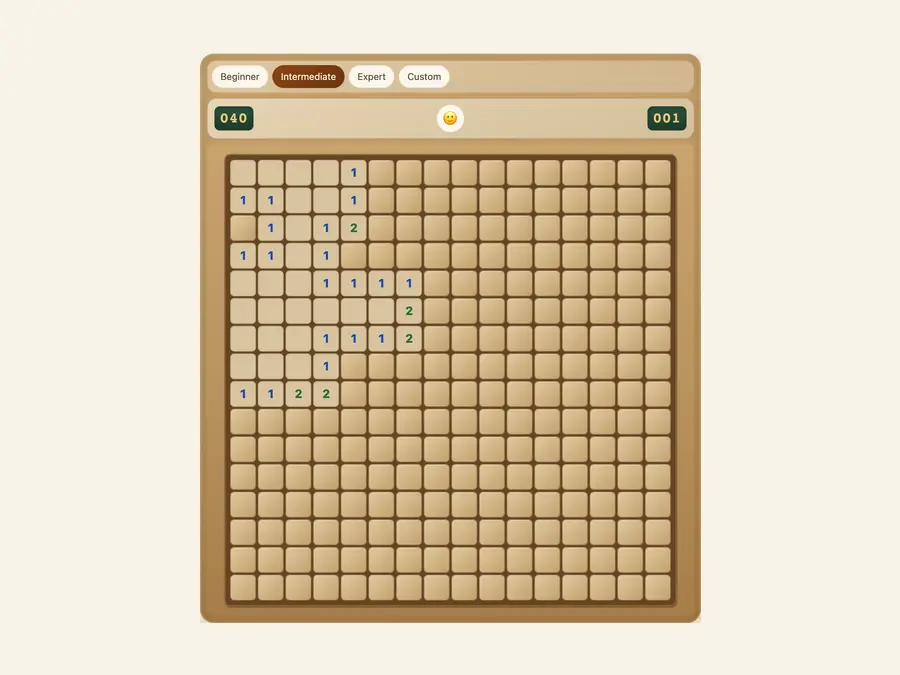
Play from the home page
The grid is ready when the page loads. Time and mines left sit in the header. New, Hint, and the size menu are in the side panel, and Daily is in that same menu. The board starts on beginner until this browser has saved another size. Daily switches this round to intermediate and loads the fixed layout for the UTC date. Picking beginner or expert after that starts a fresh random board at the size you chose.
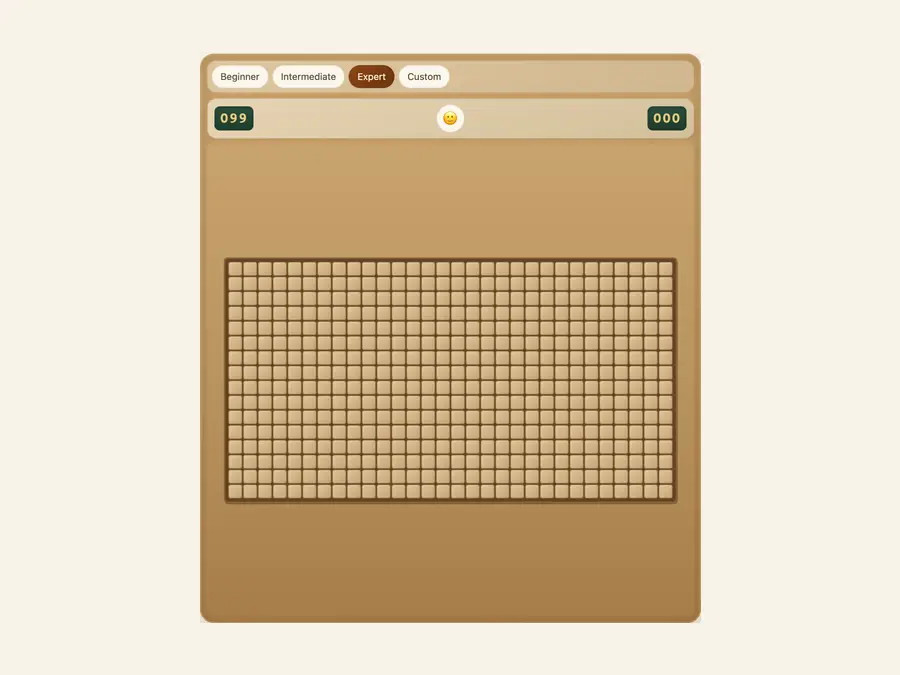
Three standard grids
Beginner is 9×9 with 10 mines, enough to practice singles such as a 1 with only one hidden neighbor. Intermediate is 16×16 with 40 mines: the size Daily uses, and the one most people time. Expert is 30×16 with 99 mines, with longer blank runs, where one bad flag can turn the next chord into a loss. Changing size lays the mines again. Each preset keeps its own fastest time, and a slower win does not replace a faster one.
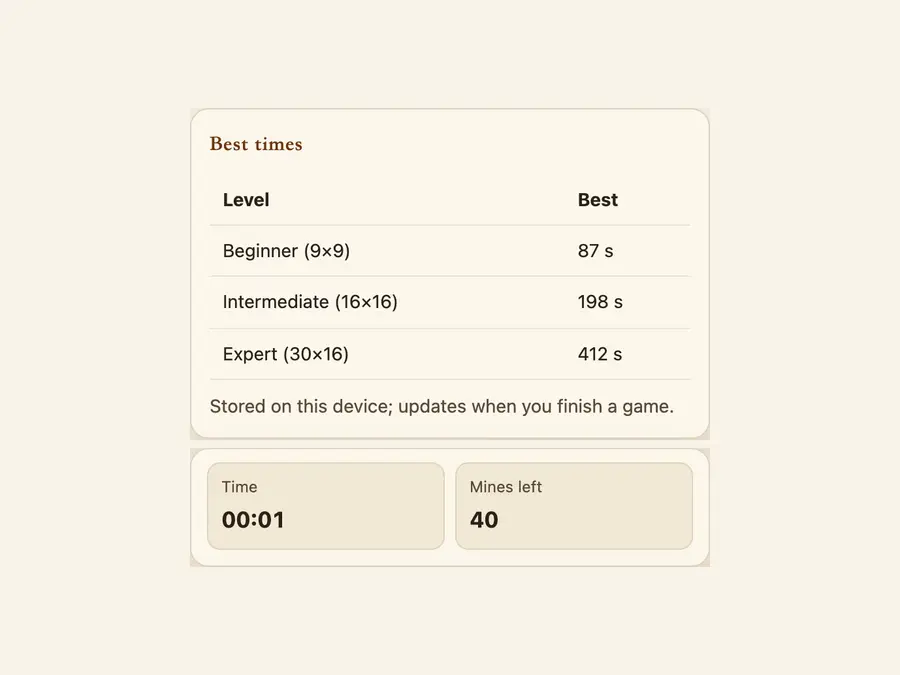
Fastest clears stay in this browser
Best in the side panel updates only when you clear a size faster than the time already saved for it. Only that fastest clear is kept. Slower wins are dropped, and nothing is uploaded or tied to an account. A different browser, another device, or clearing this site’s data removes all three records. Sound stays off until you turn it on in the panel.
3 sizes9×9, 16×16, 30×16
Flagsright-click or hold
Dailyone intermediate board
Localfastest time per size
Common questions
How do I win or lose?
Open every cell that is not a mine. You do not need a flag on every mine. Opening a mine, or double-clicking a number whose flags sit on the wrong cells, ends the round and reveals the rest. The mines-left counter is total mines minus flags. Extra flags can drive it to zero while mines are still hidden.
What does Hint do?
Hint scans from the top-left and opens the first hidden cell that is not flagged and not a mine. A blank cell opens the empty area around it, the same way a normal click would. Hint never places a flag or moves a mine. Before your first open, it leaves the board alone.
How is Daily different from New?
New shuffles mines at the size you have selected. Daily always uses the intermediate board, 16×16 with 40 mines, and a seed from the UTC date, so everyone sees the same layout that day. Choosing beginner or expert afterwards starts a random game at that size. Reloading the page does not resume Daily. The size returns to whatever this browser last saved in the menu.
Can the first click be a mine, and when does the timer start?
The first open is safe. Mines are placed after that click and skip the cell you chose, so you always get a number or a blank. The clock starts then and shows minutes and seconds in the header and the side panel. Flags alone, before any open, do not start it.
Is double-clicking a number safe?
The double-click opens the remaining neighbors only when the flags around that number already equal it. If the counts do not match, nothing happens. If the counts match but a flag is on the wrong cell, a neighboring mine can open and the round is lost. Use it to check a finished count, not to skip the count.
Does the site remember my difficulty?
Yes. Beginner, intermediate, or expert chosen in the side panel is saved in this browser. The next visit starts a new random board at that size. Daily uses intermediate for that round only and does not overwrite the saved size.
Where are personal bests stored?
Each size keeps only its fastest winning time, in this browser’s local storage. A slower win does not replace it. There is no account, and the times do not sync to a phone or another computer. Clearing this site’s data removes all three.
Do I need an account or an install?
No account. Open the home page in a browser and play. Adding the site to your home screen is optional. Opening, flagging, hints, the timer, and the saved times all work in a normal tab.
